

Description
Download Ultimate Windows Tweaker 5 for Windows 11 – Windows 11 Optimization, System Customization, Performance Boost
Overview
Ultimate Windows Tweaker 5 for Windows 11 is a specialized utility designed to empower users with deep-level control over their Windows 11 operating system. The application serves as a centralized tool for personalizing system behavior, appearance, and performance. It addresses common user frustrations such as limited customization options, sluggish system responsiveness, and outdated interface elements by offering granular adjustments through a single, accessible interface. This tool is particularly valuable for users seeking to move beyond default Windows 11 settings and tailor their experience to match their workflow, aesthetic preferences, and performance needs.
Target users include both casual computer users looking to enhance their desktop experience and more technically inclined individuals interested in system optimization. The app is positioned as a utility that bridges the gap between simplicity and advanced functionality, enabling users to modify core system behaviors without requiring in-depth technical expertise. While the developer did not provide additional background information, the tool’s consistent release cycle and clear focus on Windows 11 suggest a dedicated development team with a strong understanding of the platform’s architecture.
Real-world use cases include streamlining the Start menu, adjusting visual effects for improved responsiveness, enhancing privacy settings, and optimizing background processes. In the broader app ecosystem, Ultimate Windows Tweaker 5 fills a niche for users who want to reclaim control over their operating system without relying on third-party software with unclear security practices. Its presence underscores the ongoing demand for transparent, efficient, and user-centric system tools.
Key Features & Functionality
Ultimate Windows Tweaker 5 for Windows 11 delivers a suite of functionalities aimed at system personalization, performance tuning, and enhanced security. Each feature is designed to address specific user pain points while maintaining accessibility for non-technical users.
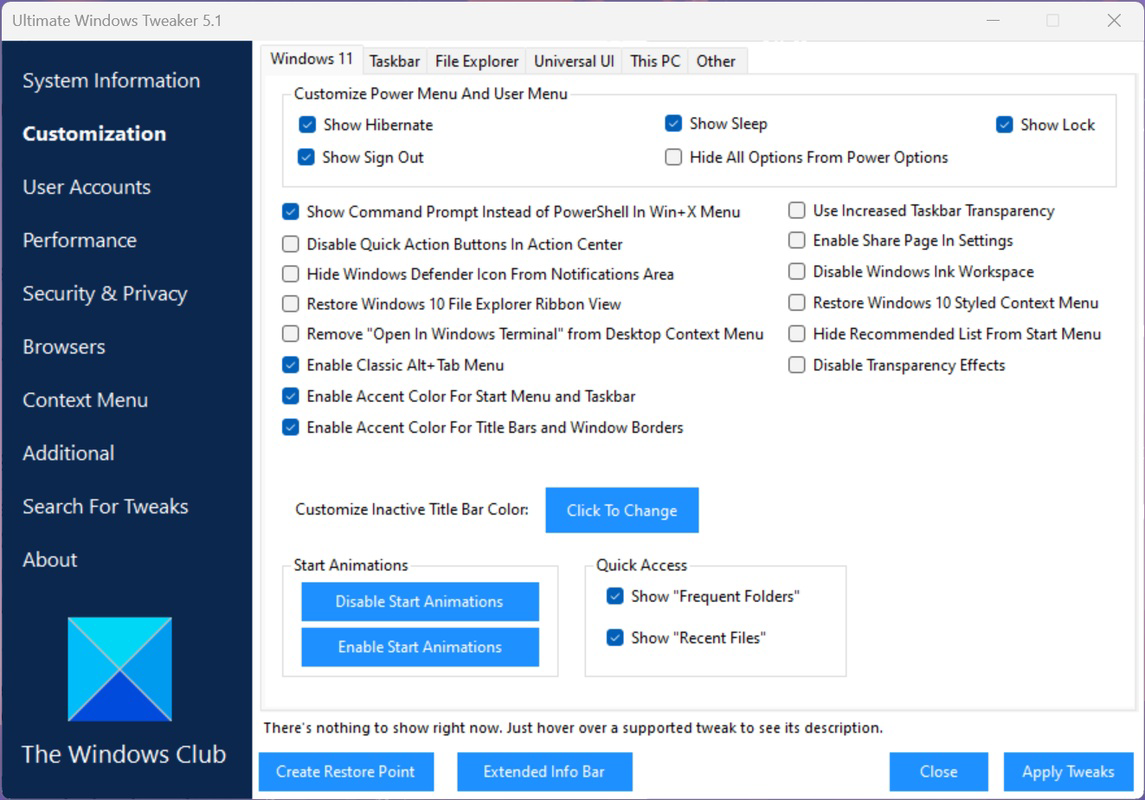
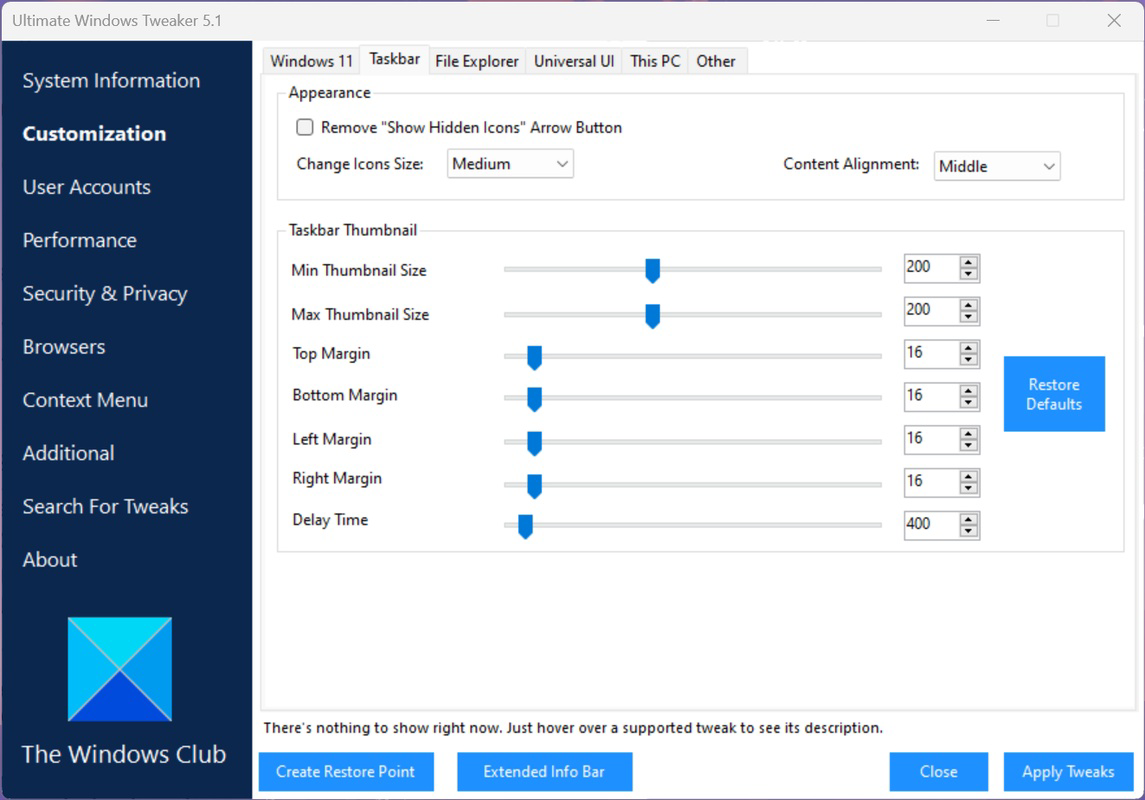
- Comprehensive Customization Options: Users can modify the appearance and behavior of the desktop, Start menu, taskbar, and system animations. This includes hiding or repositioning elements, adjusting transparency, and changing default actions for system interactions.
- Performance Enhancements: The tool allows users to disable unnecessary background services, tweak visual effects for faster response times, and optimize startup processes to reduce boot time and improve overall system fluidity.
- User-Friendly Interface: The minimalist design features clearly labeled options with brief explanations, reducing the learning curve for users unfamiliar with advanced system settings. Navigation is streamlined, enabling quick access to frequently used functions.
- Security Improvements: Users can adjust privacy-related settings such as telemetry data collection, location tracking, and advertising identifiers, helping to strengthen the system’s defense against potential data leaks.
- Single Panel Access: All configuration options are consolidated into one intuitive panel, eliminating the need to navigate multiple system menus. This design enhances efficiency and reduces the risk of unintended system changes.
For example, a user experiencing slow startup times can disable non-essential startup programs via the tool. A professional who prefers a clutter-free interface can hide the taskbar icons and adjust the Start menu layout to prioritize frequently used applications. These real-world implementations demonstrate the tool’s practical value in everyday computing.
Interface, UX & Performance
The interface of Ultimate Windows Tweaker 5 for Windows 11 is designed with usability in mind, emphasizing clarity and efficiency. The layout features a clean, minimalist panel with categorized options, allowing users to quickly locate and apply changes. Visual cues and descriptive tooltips help users understand the impact of each setting before activation, reducing the risk of unintended system behavior.
Navigating through the app is intuitive, with logical grouping of features such as “Appearance,” “Performance,” and “Privacy.” The absence of complex menus or hidden settings contributes to a smooth user experience. Users can make adjustments in real time, with immediate feedback on the system’s response, which enhances confidence in the tool’s functionality.
Although the developer did not list formal performance metrics, the tool is designed to operate efficiently in the background with minimal system resource usage. It is optimized to avoid slowing down the host system during operation, ensuring that it does not become a performance bottleneck itself. Stability is maintained through consistent updates and a focus on safe, reversible changes.
On different device categories, including low-end, mid-range, and high-end systems, the application maintains responsive behavior. Users can expect consistent performance regardless of hardware specifications, provided the system meets the base requirements. The app’s lightweight nature ensures compatibility across a wide range of Windows 11 devices.
Platform Compatibility & Technical Requirements
Ultimate Windows Tweaker 5 for Windows 11 is designed exclusively for the Windows operating system. It is compatible with Windows 11, though specific version requirements were not listed by the developer. The application’s file size is approximately 4.2 MB, indicating a lightweight footprint that does not impose significant storage demands.
Compatibility information was not fully disclosed. The developer did not specify minimum OS requirements, hardware specifications, or installation prerequisites. As such, users are advised to verify system compatibility before installation. The tool is intended for desktop environments and does not support mobile or tablet platforms.
Given its size and purpose, the application is suitable for both older and newer Windows 11 systems. However, users should ensure their system is updated to the latest available version to avoid potential conflicts. The absence of detailed technical specifications means users should proceed with caution when deploying the tool on critical or enterprise systems.
Pros and Cons
- Offers deep customization of Windows 11 interface and behavior
- Enhances system performance through optimization of background processes
- Includes privacy and security-related configuration options
- Single-panel interface simplifies access to advanced settings
- Lightweight design with minimal impact on system resources
- Specific system requirements were not disclosed
- No official update frequency or changelog details provided
- Developer background remains unspecified
- Users must exercise caution when modifying system-level settings
- Limited support documentation beyond basic in-app guidance
FAQ
Is Ultimate Windows Tweaker 5 safe to use?
The tool is designed to modify system settings through safe, reversible actions. However, users should exercise caution when changing advanced configurations, as improper adjustments may affect system stability.
Can I use this tool on older versions of Windows?
Based on the app’s title and description, it is specifically built for Windows 11. Compatibility with earlier versions such as Windows 10 or 8 is not confirmed.
Does the tool require admin rights to install?
While not explicitly stated, system-level modifications typically require elevated permissions. Users may need to run the tool with administrator privileges to apply changes.
How often is the tool updated?
The developer did not disclose the update frequency. Users should check for new releases manually or rely on third-party sources for the latest version.
Is there a mobile version available?
Ultimate Windows Tweaker 5 is designed for desktop use on Windows 11. There is no indication of a mobile or tablet version for Android or iOS.
Final Thoughts
Ultimate Windows Tweaker 5 for Windows 11 stands out as a powerful, accessible utility for users seeking to customize and optimize their operating system. Its ability to consolidate complex system settings into a single, intuitive interface makes it a valuable tool for both novice and experienced users. The combination of aesthetic, performance, and security enhancements offers tangible benefits in daily computing.
While the lack of detailed technical documentation and developer transparency may raise concerns for some, the tool’s lightweight design and focus on safe modifications mitigate many risks. For users who value control, efficiency, and a personalized computing environment, this application delivers significant value.
Download Ultimate Windows Tweaker 5 for Windows 11 now
Guides & Tutorials for Ultimate Windows Tweaker 5 for Windows 11
How to install Ultimate Windows Tweaker 5 for Windows 11
- Click the Preview / Download button above.
- Once redirected, accept the terms and click Install.
- Wait for the Ultimate Windows Tweaker 5 for Windows 11 download to finish on your device.
How to use Ultimate Windows Tweaker 5 for Windows 11
This software is primarily used for its core features described above. Open the app after installation to explore its capabilities.
User Reviews for Ultimate Windows Tweaker 5 for Windows 11 0
No reviews found


